
Maarch continue de développer son écosystème, avec la sortie d’un connecteur pour l’environnement de signature électronique Goodflag, autrefois connu sous le nom de LexPersona.
Très présent dans les ministères, ce connecteur vient compléter la liste des parapheurs compatibles avec Maarch Courrier (voir Envoyer des documents · Documentation Maarch Courrier).
Il est en partie financé par notre client sponsor : l’ARS de la Réunion, que nous remercions chaleureusement. Le solde du financement est assuré par Maarch.
Un connecteur conforme aux standards Éditeur
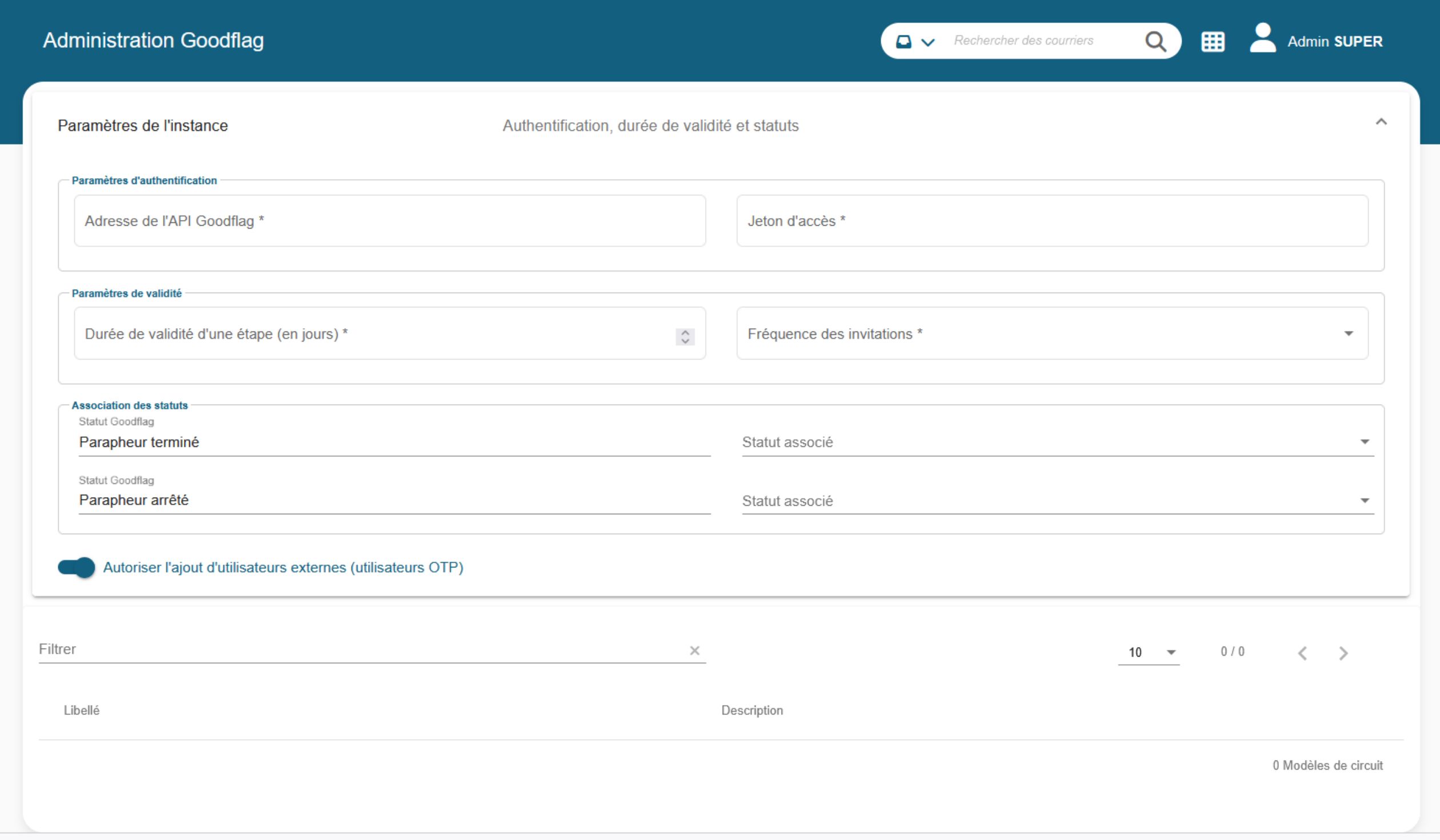
Une nouvelle section « Goodflag » est disponible dans l’administration afin de centraliser et simplifier sa gestion depuis un point unique. Elle permet aux administrateurs techniques de configurer directement, depuis l’interface, l’ensemble des paramètres liés à la communication avec la plateforme de signature électronique Goodflag.
En tant qu’éditeur de Maarch Courrier, nous nous assurons que chaque développement
souscrit à nos standards de qualité afin de garantir :
- une maintenabilité optimale,
- une durabilité renforcée,
- des fonctionnalités administrables par un profil fonctionnel.
Ainsi, ce connecteur s’inscrit dans une architecture de développement hexagonale (Architecture hexagonale — Wikipédia) qui nous permet de mutualiser et d’isoler du code, tout en associant à chaque fonctionnalité ses tests unitaires.
Certains de nos clients exercent dans des secteurs particulièrement sensibles, où toute modification des fichiers de configuration nécessite un bon d’intervention auprès des équipes infrastructure.
C’est pourquoi nous faisons le choix de centraliser au maximum le paramétrage au niveau des écrans d’administration, à destination des administrateurs techniques. Cela inclut notamment : la gestion de l’URL et du token d’accès, la page de consentement, le profil de signature.
Enfin, nous nous sommes attachés à rendre ce connecteur le plus complet possible :
- Signataires externes à la volée en mode OTP
- Plusieurs signataires possibles sur la même étape de circuit : un seul signataire fait passer à l’étape suivante (configuré au lancement du parapheur)
- Webhooks pour la récupération des documents en sortie du parapheur

Fonctionnalités clés du connecteur Goodflag
L’intégration du connecteur Goodflag permet :
- L’envoi de documents vers un circuit de signature configuré dans Goodflag, directement depuis Maarch Courrier.
- La récupération automatique des documents signés, intégrés au courrier initial.
- La gestion des refus de signature, accompagnés d’annotations précises provenant de Goodflag.
Workflow d’envoi vers Goodflag
→ Initiation du circuit de signature
Lorsque le dernier administrateur d’un courrier a terminé son action, celui-ci est automatiquement transféré au rédacteur. Le courrier est placé dans une bannette dédiée, par exemple : « Courriers à envoyer vers Goodflag pour signature »
Depuis cette bannette, le rédacteur peut initier l’envoi vers le parapheur Goodflag via une fenêtre modale dédiée qui s’ouvre à cet effet.
→ Configuration du circuit de signature
La fenêtre modale est divisée en deux sections :
- Volet gauche : configuration du circuit de signature avec sélection d’un modèle de circuit prédéfini (type de consentement, profil de signature) ou création d’un circuit personnalisé.
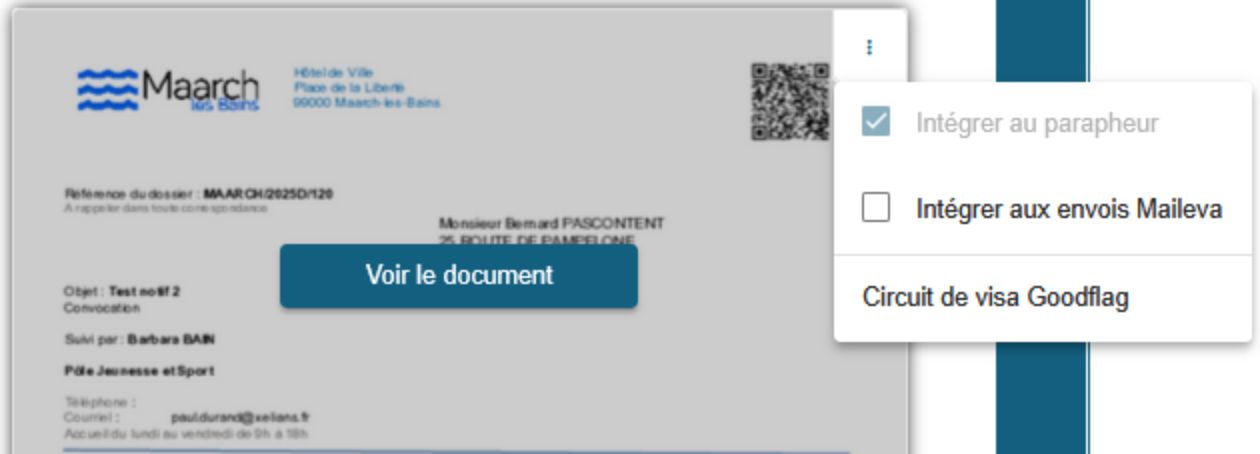
- Volet droit : gestion des documents à transmettre, incluant les pièces à signer ou à annexer. Le rédacteur peut également y ajouter d’autres documents.
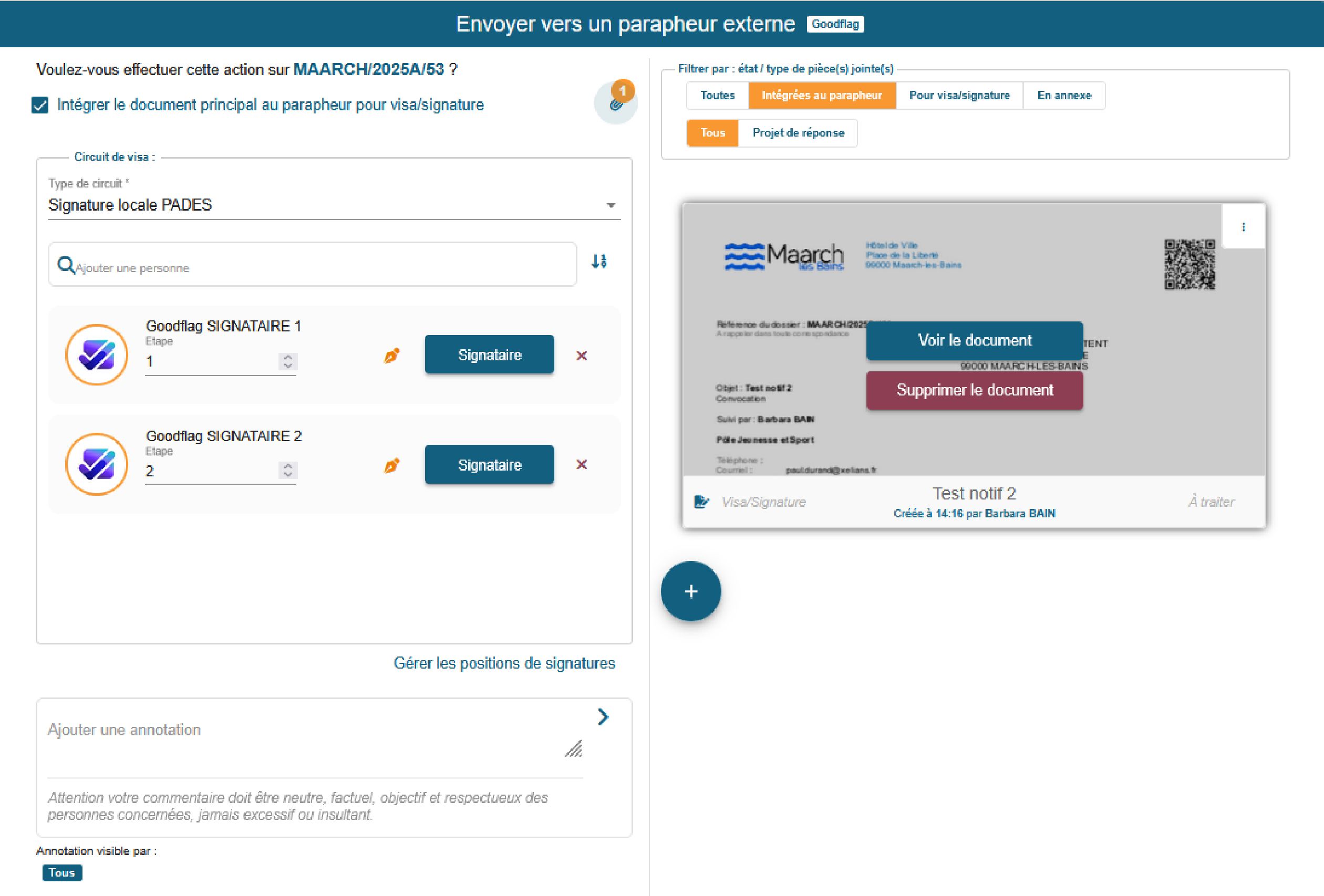
Le rédacteur peut ensuite ajouter des signataires, internes ou externes à Goodflag, définir des étapes de signature (séquentielles ou parallèles), attribuer à chaque signataire un rôle (signature obligatoire ou facultative, modulable en un clic) et prépositionner les zones de signature sur les documents.
→ Fonctionnalités d’assistance
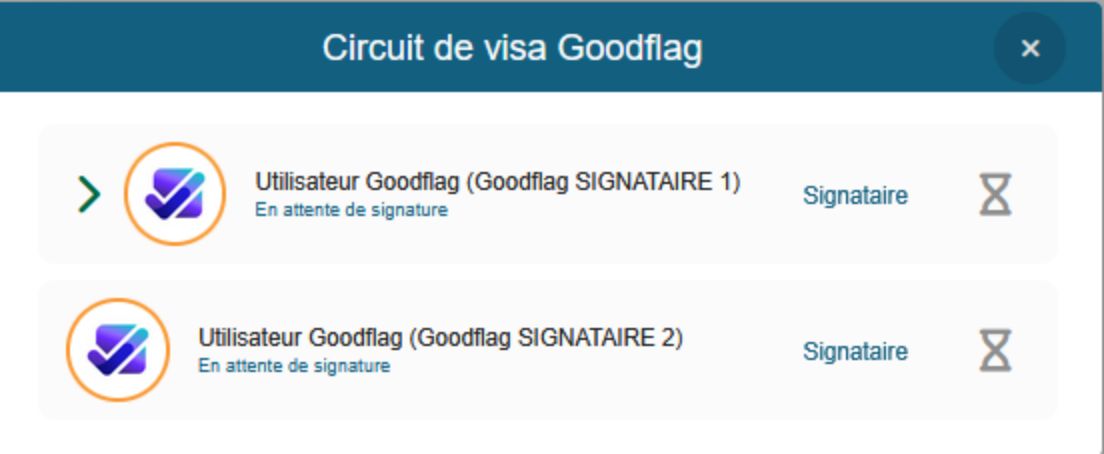
Parmi les fonctionnalités d’assistance, vous retrouvez la saisie assistée pour rechercher les utilisateurs Goodflag par les premières lettres du nom. L’ajout de signataires externes via un formulaire simplifié. La visualisation claire du circuit avec étapes numérotées. La transmission technique et verrouillage documentaire.
L’envoi repose sur l’action système existante « Envoyer au parapheur externe ». Les documents sont convertis au format PDF et passent en statut gelé durant tout le circuit de signature. Les utilisateurs Goodflag sont récupérés dynamiquement via l’API.
→ Documents signés
À la fin du circuit de signature, les documents sont automatiquement rapatriés dans Maarch Courrier avec le statut signé. Le système affiche le dernier signataire et la date de signature sous forme de légende dans l’onglet “Pièces jointes”. Le dossier de preuve de signature est également intégré et téléchargeable.
→ Documents refusés
En cas de refus, le courrier passe en statut refusé et le document concerné retourne à l’état de courrier à traiter. L’annotation de refus, incluant le motif, est enregistrée dans le fil d’annotations.
Implémentation technique
- Webhooks : réception automatique d’événements (signature ou refus) envoyés par Goodflag à Maarch Courrier.
- Synchronisation en temps réel des statuts via les données transmises.
- Conservation des standards de traitement Maarch : mises à jour automatiques des statuts selon le paramétrage fonctionnel.
- Appels API Goodflag pour la récupération des utilisateurs, l’accès aux modèles de signature, profils et pages de consentement, l’affichage des détails techniques pour chaque choix effectué par l’utilisateur.
Conclusion
L’intégration du connecteur Goodflag marque une étape décisive dans la modernisation de Maarch Courrier. Elle offre aux organisations une solution robuste, sécurisée et intuitive pour gérer les circuits de signature, tout en garantissant conformité et efficacité.
Cette avancée ouvre la voie à de futures intégrations avec d’autres services de confiance, dans une logique de transformation numérique globale.
Plongez davantage dans l’écosystème Maarch







Adopter la référence open source
Plus de 100 000 utilisateurs nous font déjà confiance !