Article • November 10, 2025
The Goodflag Connector (Formerly LexPersona) in Maarch Courrier: A New Electronic Signature Workflow Connector Compliant with Publisher Standards
This article has been viewed 34 times

Maarch continues to expand its ecosystem, with the release of a connector for the Goodflag electronic signature platform, formerly known as LexPersona.
Widely used within government ministries, this connector adds to the list of signing platforms compatible with Maarch Courrier (see Sending documents · Maarch Courrier Documentation).
It is partly funded by our sponsor client, the Réunion Regional Health Agency (ARS), whom we warmly thank. The remaining funding is provided by Maarch.
A Connector Compliant with Publisher Standards
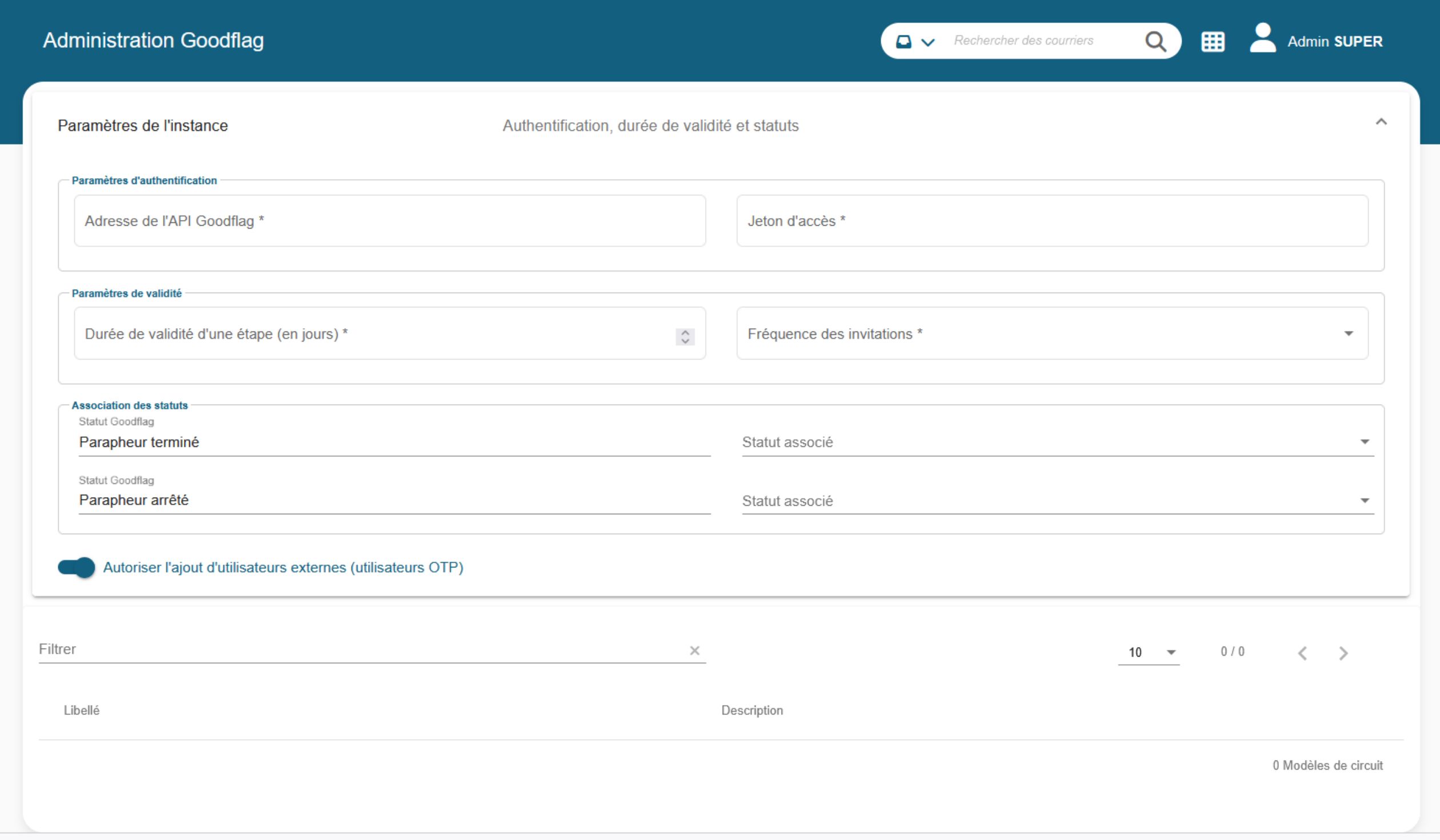
A new « Goodflag » section is now available in the admin area, centralising and simplifying its management from a single location. It allows technical administrators to configure, directly from the interface, all the settings related to communication with the Goodflag electronic signature platform.
As the publisher of Maarch Courrier, we make sure that every development
meets our quality standards, to guarantee:
- optimal maintainability,
- enhanced durability,
- features that can be administered by a functional user profile.
This connector is therefore built on a hexagonal development architecture (Hexagonal architecture — Wikipedia), which allows us to share and isolate code, while pairing each feature with its own unit tests.
Some of our clients operate in particularly sensitive sectors, where any change to configuration files requires a service request to the infrastructure teams.
This is why we chose to centralise configuration as much as possible within the admin screens, for technical administrators. This notably includes: managing the URL and access token, the consent page, and the signature profile.
Finally, we made every effort to make this connector as complete as possible:
- On-the-fly external signatories via OTP
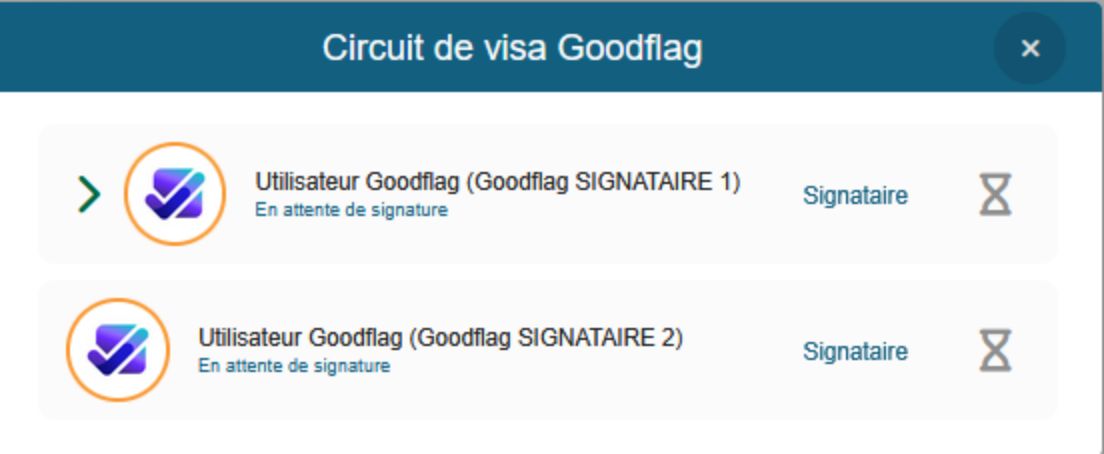
- Multiple signatories possible at the same workflow step: only one signatory is required to move to the next step (configured when launching the signing platform)
- Webhooks for retrieving documents once they leave the signing platform

Key Features of the Goodflag Connector
Integrating the Goodflag connector enables:
- Sending documents to a signing workflow configured in Goodflag, directly from Maarch Courrier.
- Automatic retrieval of signed documents, integrated into the original mail item.
- Managing signature refusals, accompanied by precise annotations from Goodflag.
Workflow for Sending to Goodflag
→ Initiating the signing workflow
Once the last administrator handling a mail item has completed their action, it is automatically forwarded to the drafter. The mail item is placed in a dedicated queue, for example: « Mail items to send to Goodflag for signature »
From this queue, the drafter can initiate the transfer to the Goodflag signing platform via a dedicated modal window that opens for this purpose.
→ Configuring the signing workflow
The modal window is divided into two sections:
- Left panel: signing workflow configuration, with the option to select a predefined workflow template (consent type, signature profile) or create a custom workflow.
- Right panel: management of the documents to be sent, including files to be signed or attached. The drafter can also add other documents here.
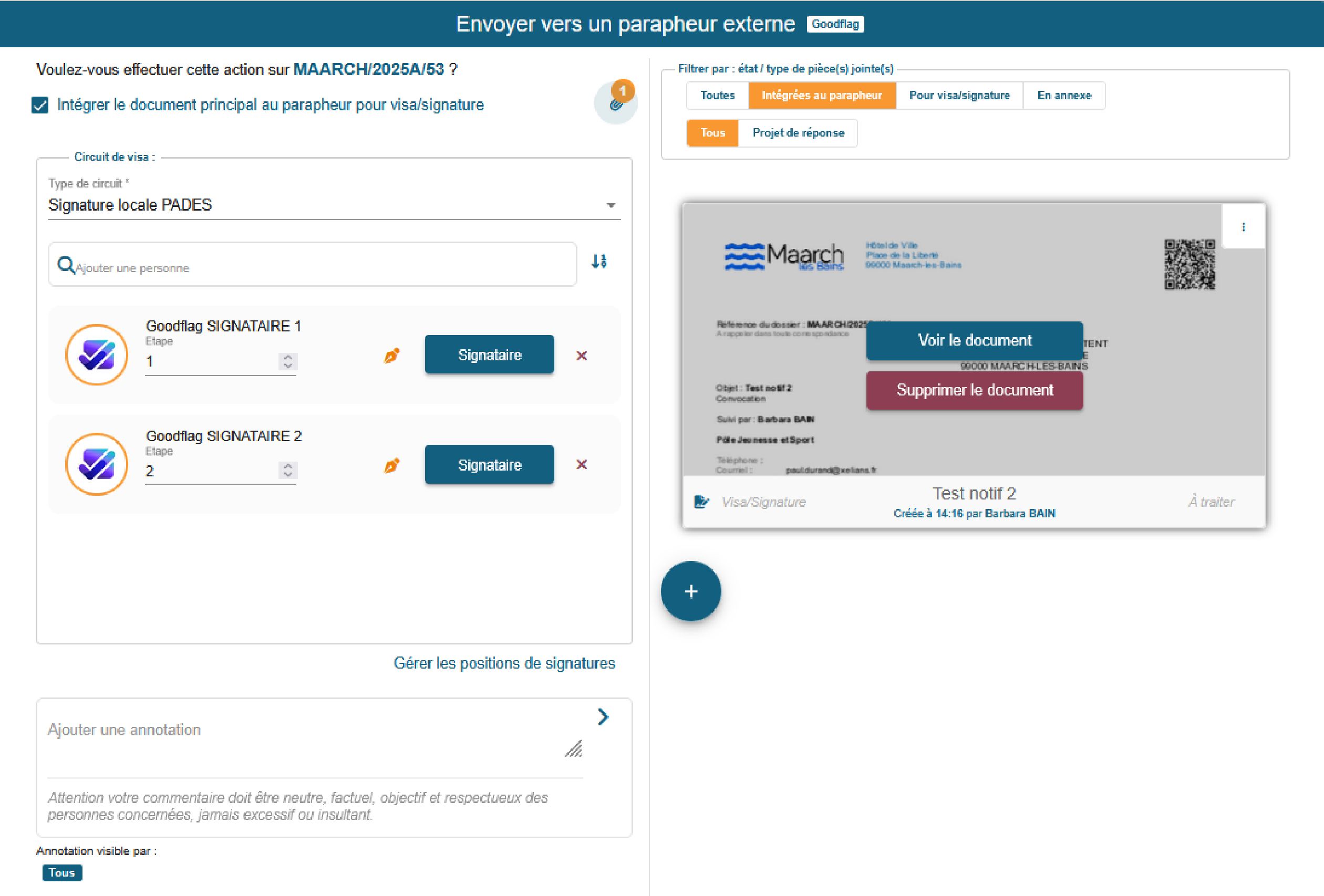
The drafter can then add signatories, whether internal or external to Goodflag, define signing steps (sequential or parallel), assign each signatory a role (mandatory or optional signature, adjustable in one click), and pre-position signature zones on the documents.
→ Assistance Features
Among the assistance features, you’ll find assisted search, to look up Goodflag users by the first letters of their name; adding external signatories via a simplified form; clear visualisation of the workflow with numbered steps; and technical transmission and document locking.
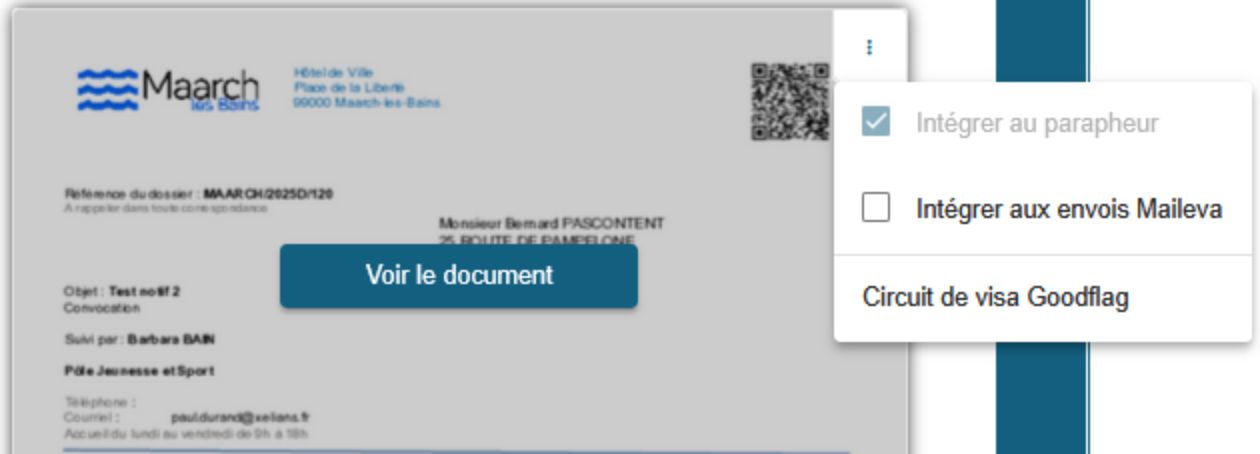
Sending relies on the existing system action « Send to external signing platform ». Documents are converted to PDF and placed in a frozen status throughout the signing workflow. Goodflag users are retrieved dynamically via the API.
→ Signed Documents
At the end of the signing workflow, documents are automatically returned to Maarch Courrier with a signed status. The system displays the last signatory and the signature date as a caption in the « Attachments » tab. The signature proof file is also included and downloadable.
→ Rejected Documents
In the event of a refusal, the mail item is set to rejected status and the document concerned returns to the « to be processed » state. The rejection annotation, including the reason, is recorded in the annotation thread.
Technical Implementation
- Webhooks : automatic reception of events (signature or refusal) sent by Goodflag to Maarch Courrier.
- Real-time status synchronisation via the transmitted data.
- Adherence to Maarch processing standards: automatic status updates based on the functional configuration.
- Goodflag API calls for retrieving users, accessing signature templates, profiles and consent pages, and displaying technical details for each choice made by the user.
Conclusion
The integration of the Goodflag connector marks a decisive step in the modernisation of Maarch Courrier. It offers organisations a robust, secure and intuitive solution for managing signing workflows, while ensuring compliance and efficiency.
This advancement paves the way for future integrations with other trusted services, as part of a broader digital transformation approach.
Dive deeper into the Maarch ecosystem







Choose the open-source reference
More than 100,000 users already trust us!