News • July 25, 2025
Maarch Courrier v24.5: What’s Changed Since v24.0
This article has been viewed 32 times

Maarch Courrier is now developed through continuous integration to comply with the SaaS mode increasingly adopted by our clients. This means regular functional updates that we don’t always communicate about — except, of course, in the version changelog on our Git.
This article presents a summary of the 350 person-days of improvements from v24.0 up to the latest published version, v24.5.
More control over distribution lists
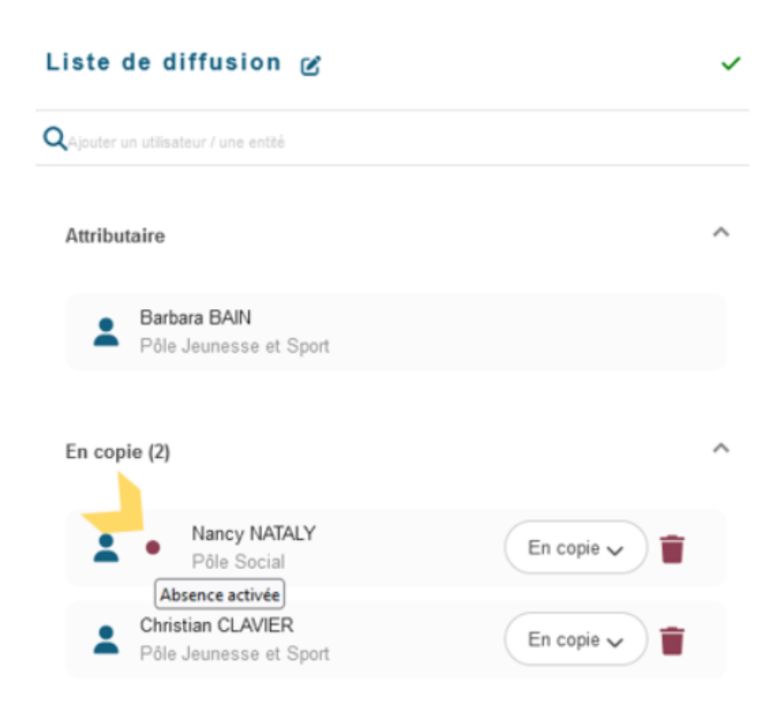
Users who are absent at the time they are added to distribution and approval workflows are now flagged with a red dot.
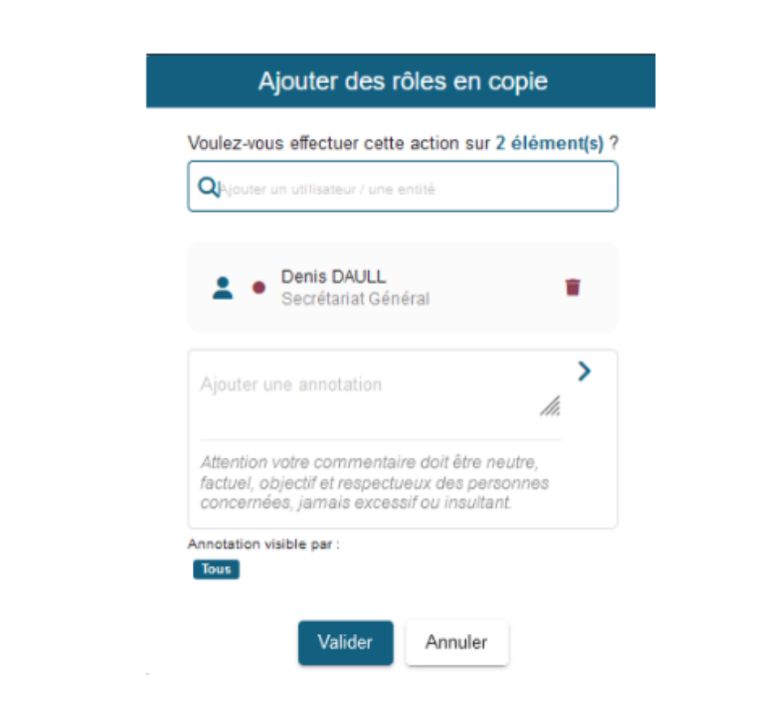
It is also possible to add multiple roles in copy within distribution lists, without overwriting existing roles.
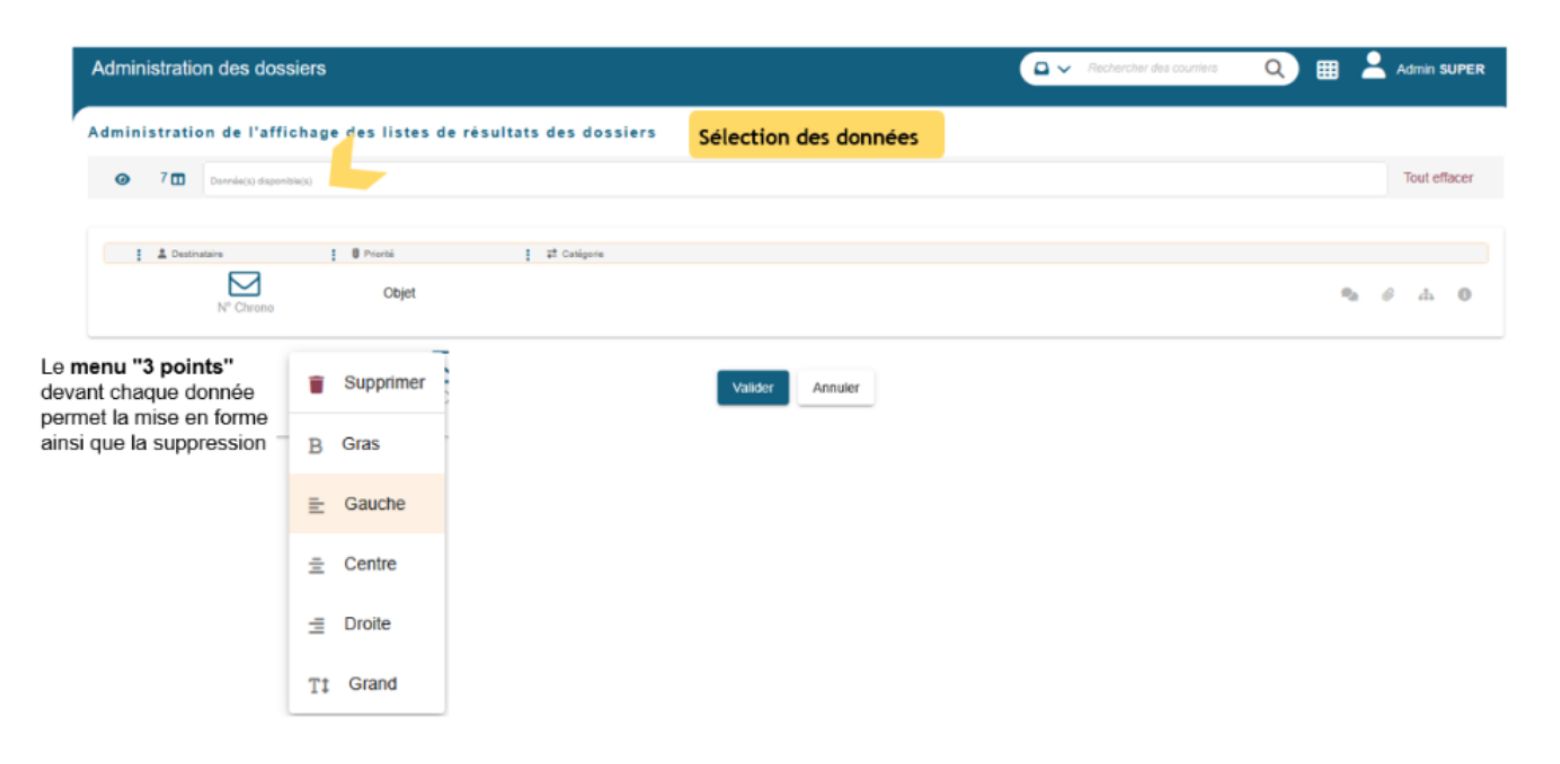
Finally, folder result lists are now customizable, providing better visibility of folders based on business needs.
Better integration with the partner ecosystem
Maarch Courrier is a connected product with a broad ecosystem. Maarch maintains connectors to your preferred business applications and tools.
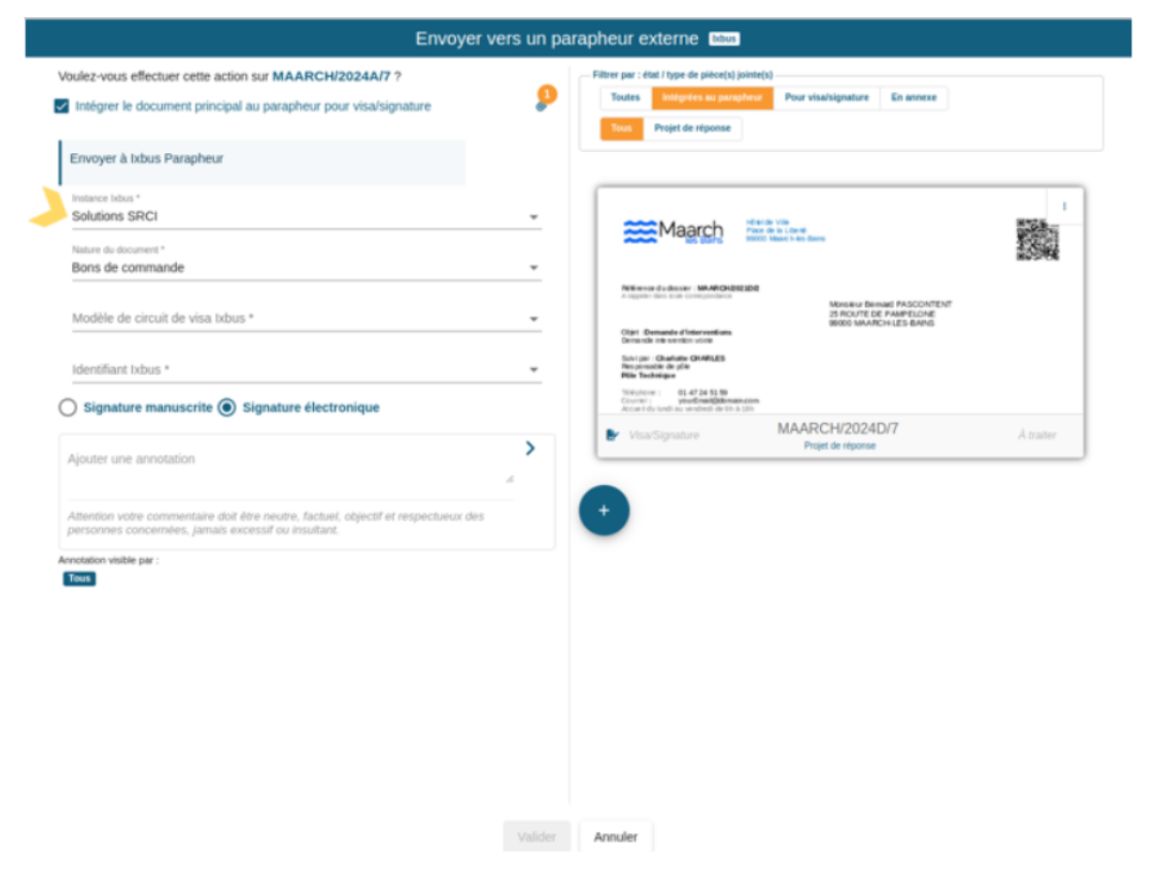
Multi-instance IxBus connector
Maarch Courrier now supports multiple connection instances on the ixBus connector, with the option to choose which instance to use for sending.
Maileva connector: single envelope per recipient
Documents from a piece of mail sent via Maileva are now grouped into a single envelope per recipient. The method for calculating estimated sending costs has been adjusted accordingly.
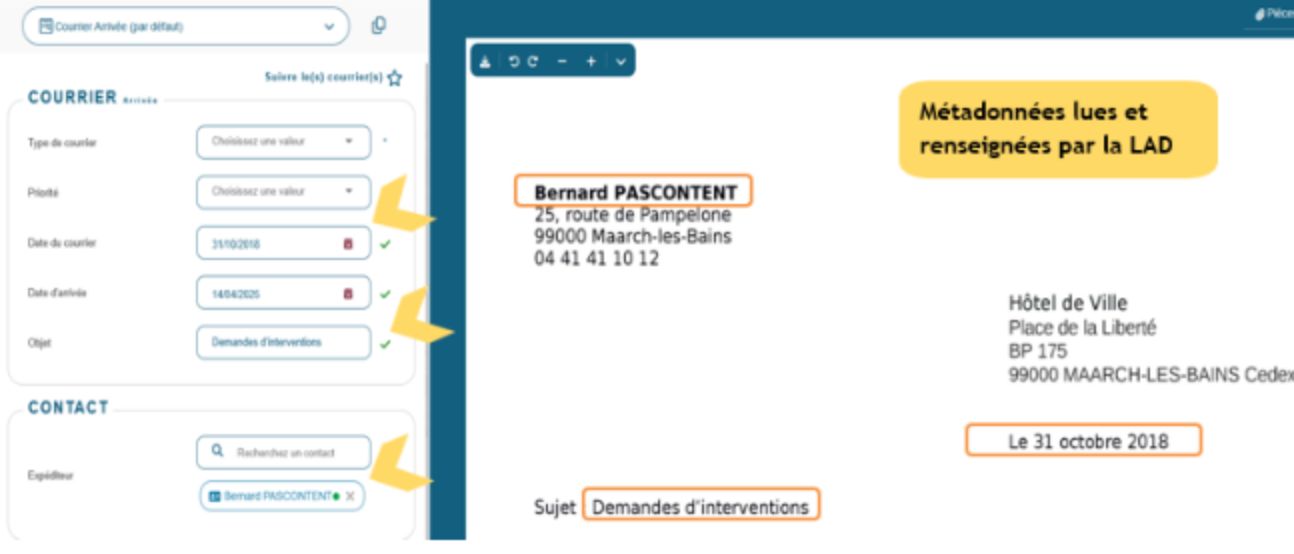
Maileva connector: double-window envelopes
The Maileva connector has been extended to allow your digitalized mail to be sent in double-window envelopes. This type of envelope is used for banking documents or administrative forms requiring dual identification.
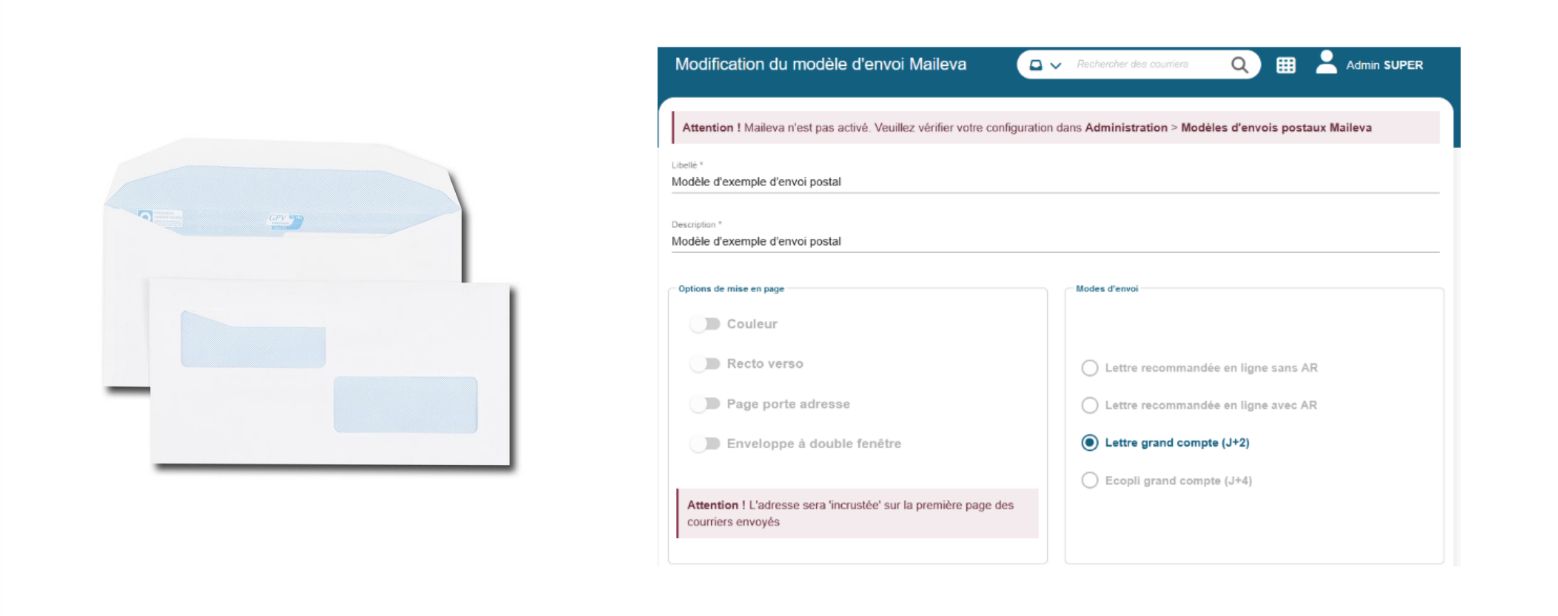
The LAD module (Automatic Document Reading), previously active only for manual mail registration, is now systematically triggered for every submission via the API.
Qualification queues are now more readable.
Upcoming connectors…
Very soon (24.6 – September 2025), you will see the following appear in Maarch Courrier:
- A publisher connector for the GoodFlag electronic signing platform (formerly Lex Persona). This connector will meet our quality and security standards and will be configurable.
- An implementation of Docaposte Maileva/AR24’s Electronic Registered Mail, a practical and affordable solution for registered mail with legal evidentiary value, made simple. We’ll have the opportunity to communicate more broadly about this with our partner Maileva, as it will represent real added value for users.
Electronic signing platform
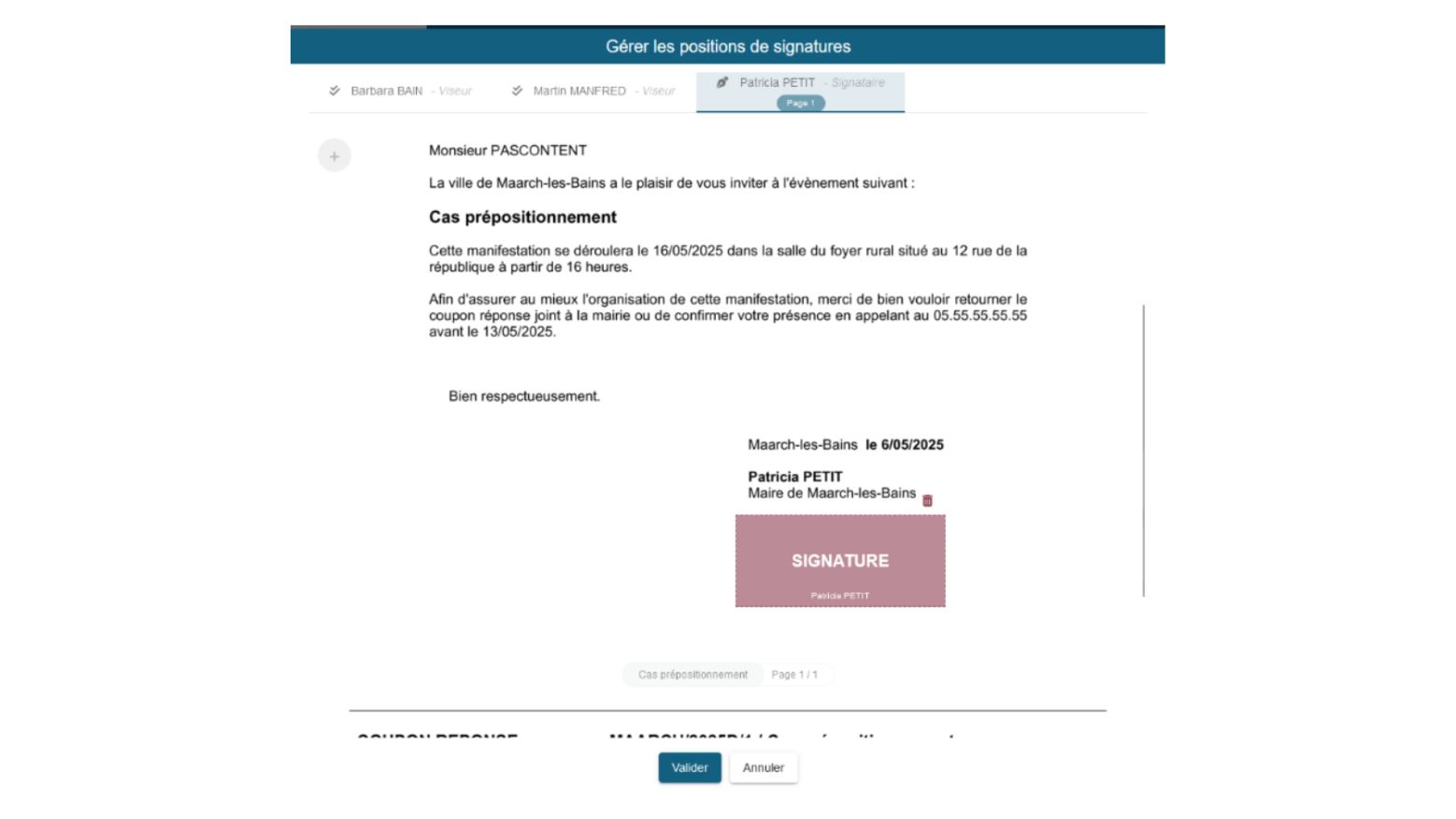
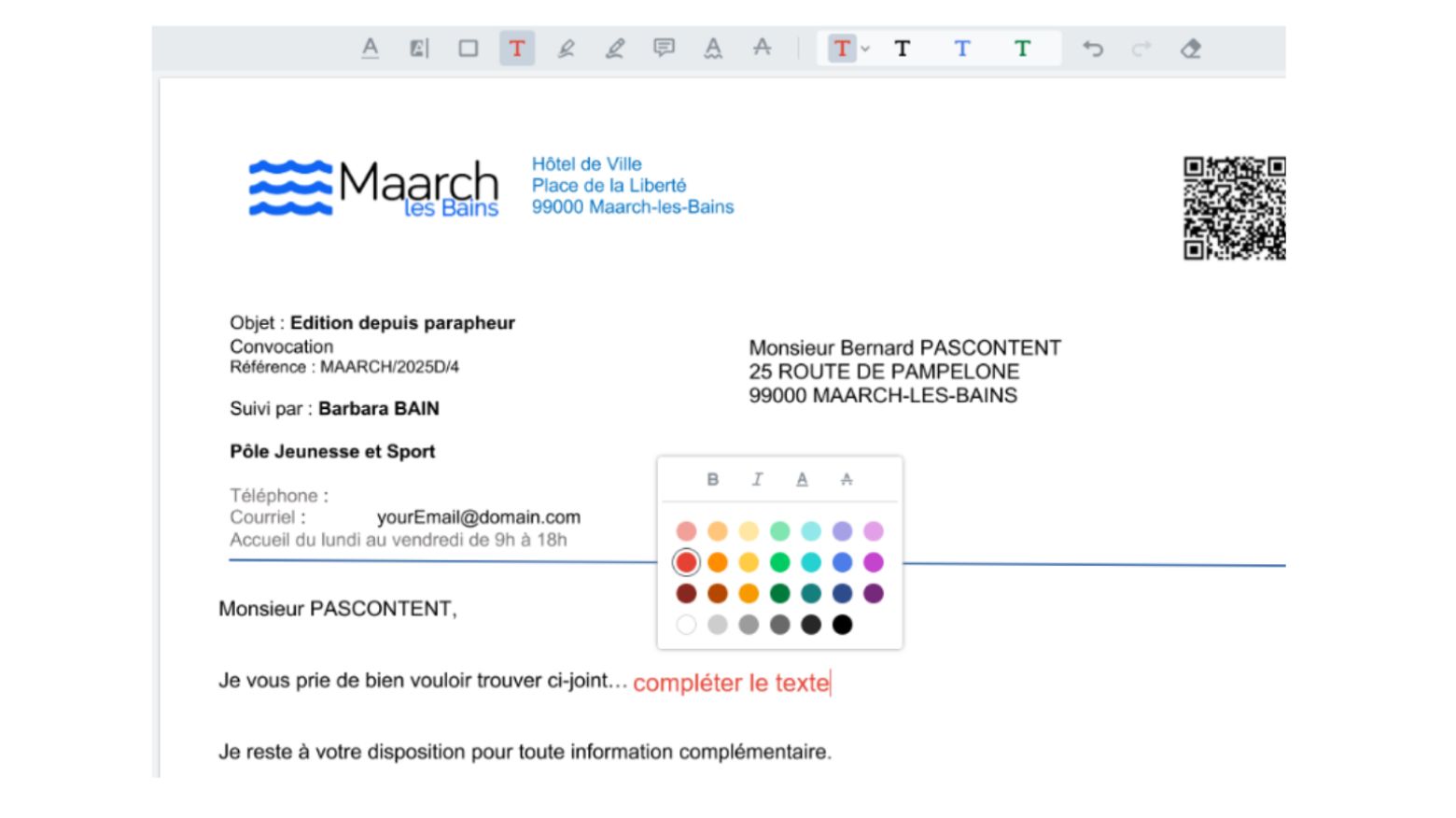
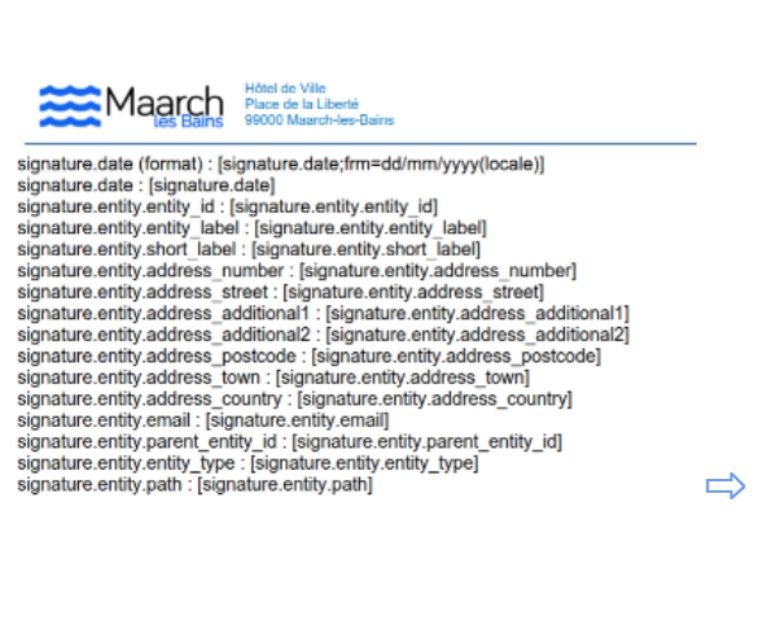
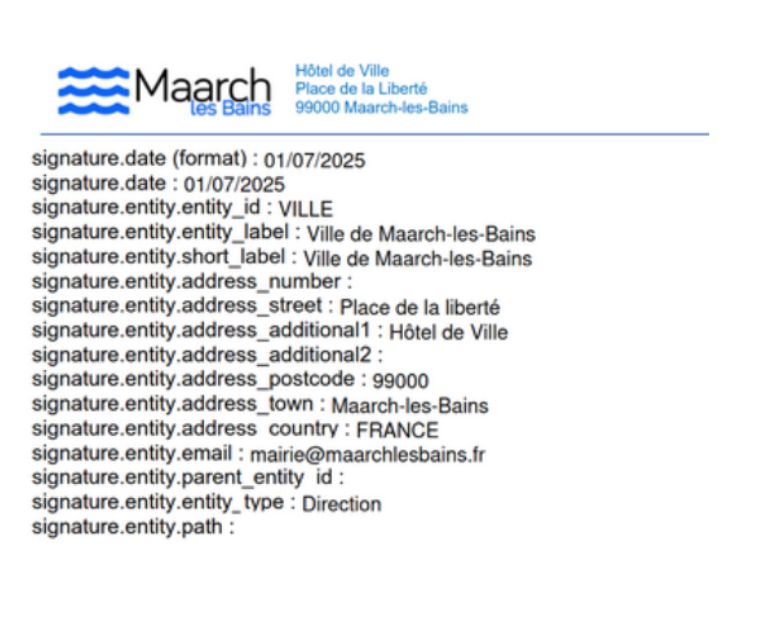
Pre-positioning of signatures
It is now possible to pre-position the placement of signatories’ electronic stamps on documents submitted to signing platforms, either on document templates or at the time of sending to the signing platform.
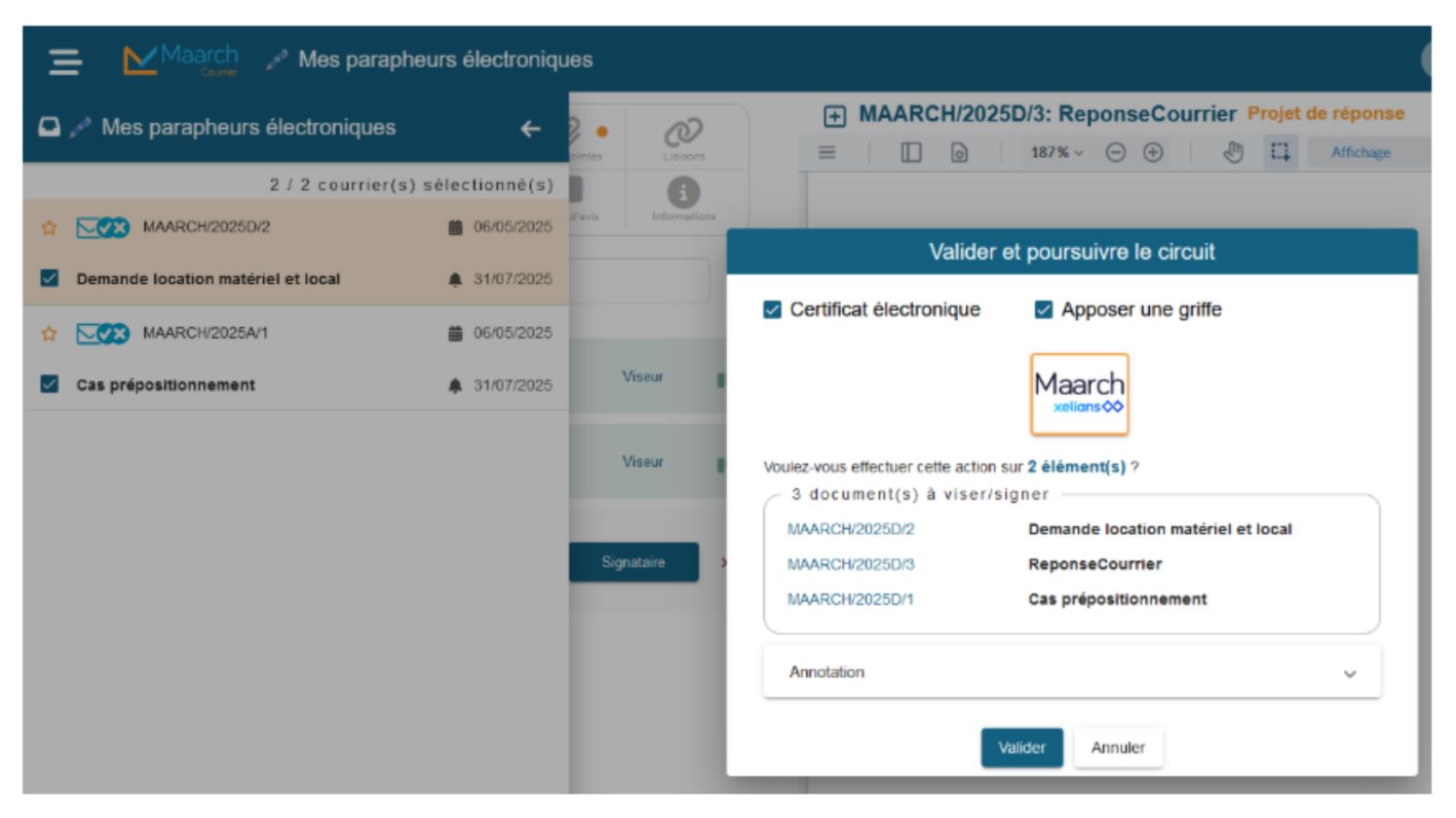
Stamps can be applied in bulk:
Create a new version of an editable document
All members of an approval workflow will be able to modify the original office file of a document submitted for approval or signature, as long as no stamp or certificate has been applied to the document. A new version of the document then replaces the previous one.
The signing platform interface also allows you to view the document’s different versions.


Certified timestamping
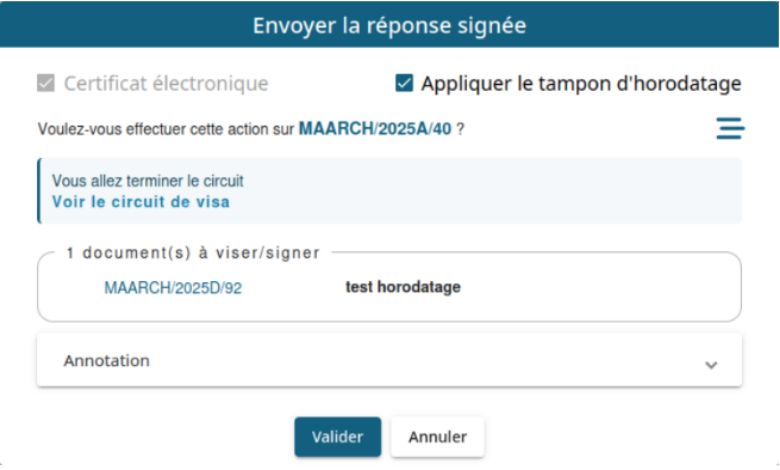
The integration of certified timestamping during the generation of the electronic signature certificate makes it possible to apply a certified stamp, compliant with the RFC 3161 standard, to a document. This is done using a timestamping server whose parameters are predefined in the configuration.
Two application modes can be defined from a configuration file:
- Automatic: timestamping is systematically applied during an electronic signature
- Manual : timestamping is applied only on request, at the time of the electronic signature action.
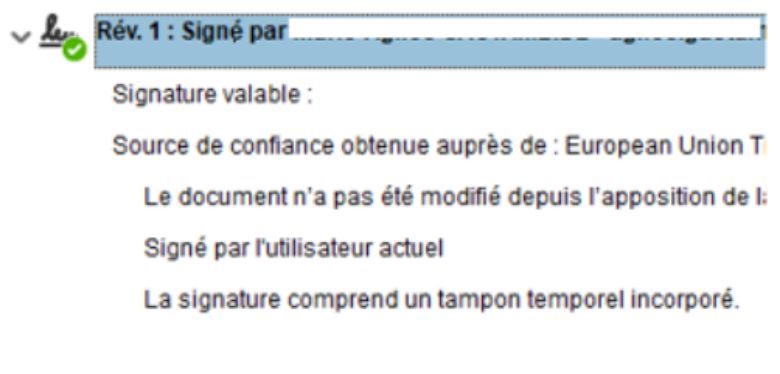
Once applied, the timestamp is embedded in the PDF’s electronic signature (“the signature includes an embedded time stamp”).
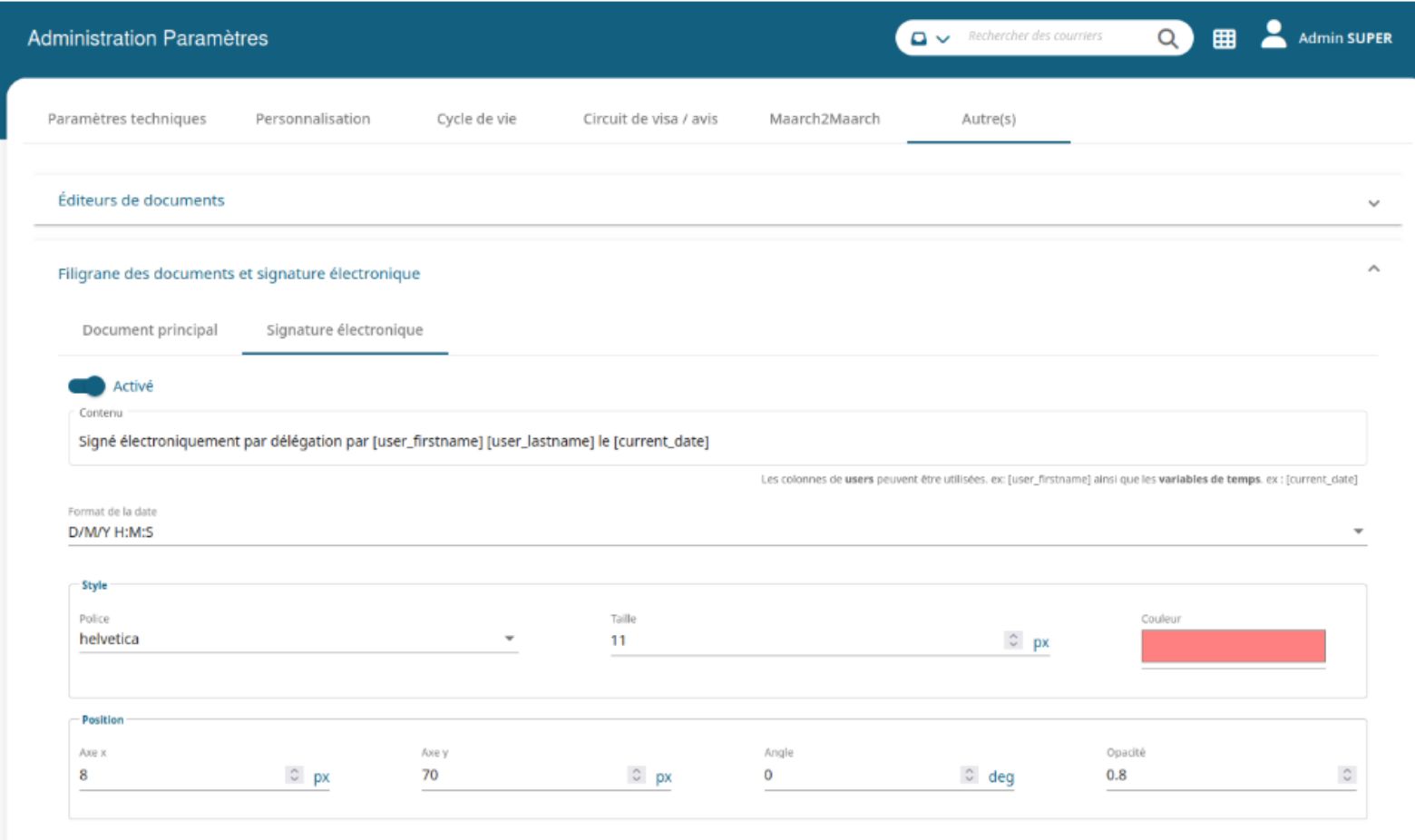
The electronic signing platform also allows you to configure a custom watermark for electronic signatures.
In the “Other” section of the parameter administration, an administrator can enable and customize a watermark applied during the electronic signature. They can define its style, color, and position.
This watermark is purely visual: it is not associated with an electronic stamp or an electronic certificate.
It is now possible to automatically merge signature tags on a PDF document with an electronic stamp.
This feature is currently limited to documents with a stamp signature without a certificate (full integration planned for a later version).
Authentication and security
ProConnect login
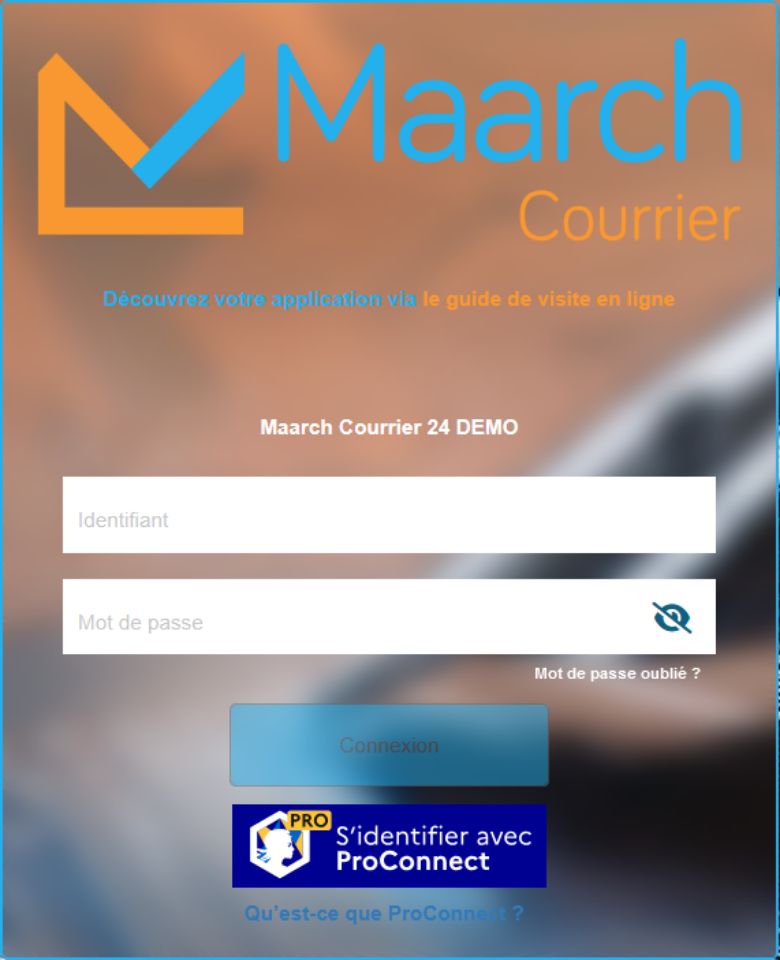
You can now log in using ProConnect! Somewhat similar to France Connect for individuals, ProConnect is a digital authentication service developed by the Direction Interministérielle du Numérique (DINUM), intended for professionals, whether from the public or private sector.
Once ProConnect login is configured and enabled in Maarch Courrier, a dedicated “Sign in with ProConnect” button appears on the Maarch Courrier login page. This login method coexists with the standard method, which always remains available.
Automatic logout of an SSO session
For instances configured with SSO login, logging out of Maarch Courrier now automatically closes the SSO session if a logout URL for the SSO portal has been defined in the administration settings.
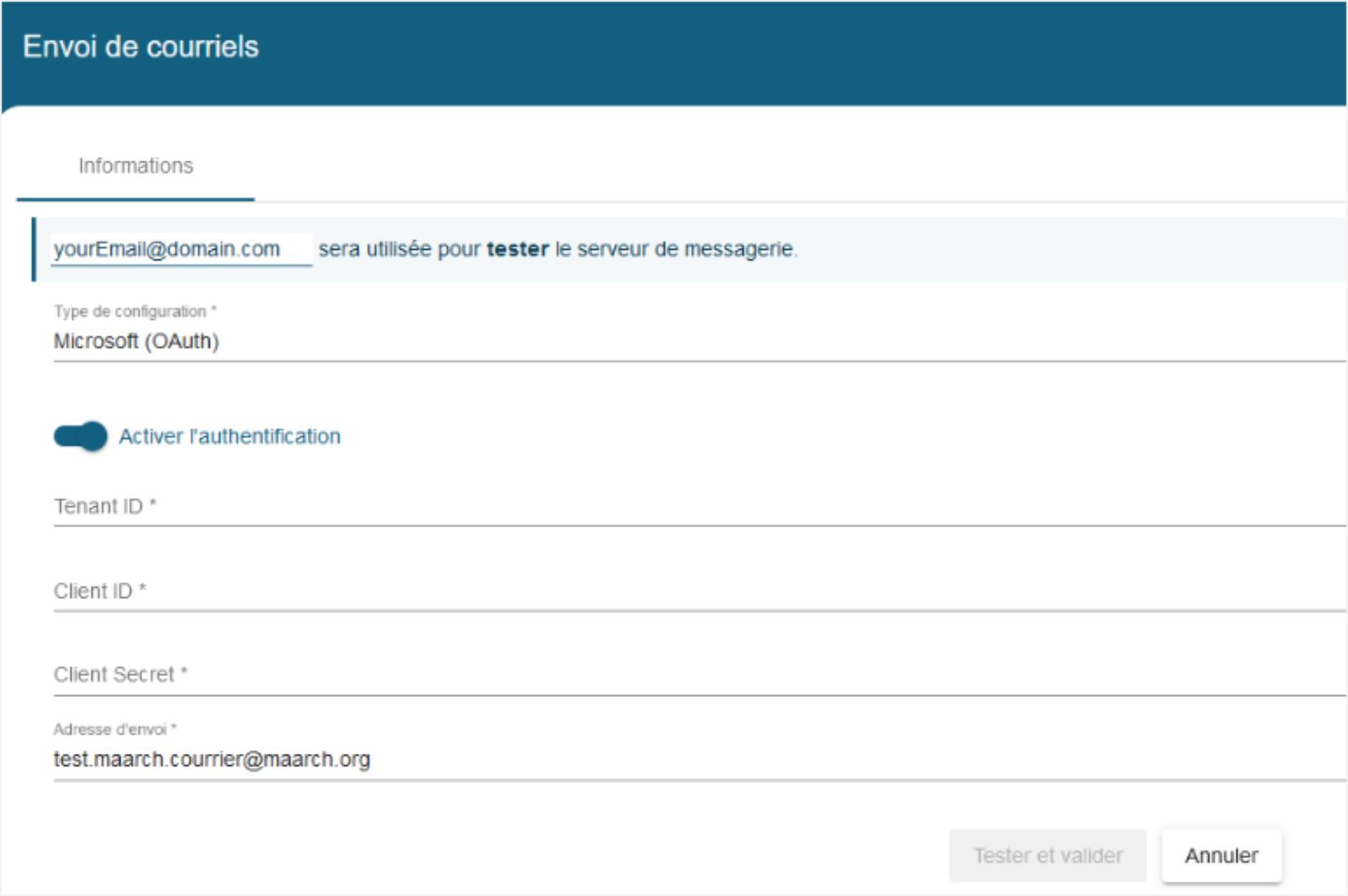
SMTP authentication via Microsoft OAuth
Maarch Courrier now offers a new configuration option for sending emails: OAuth authentication via Microsoft Azure.
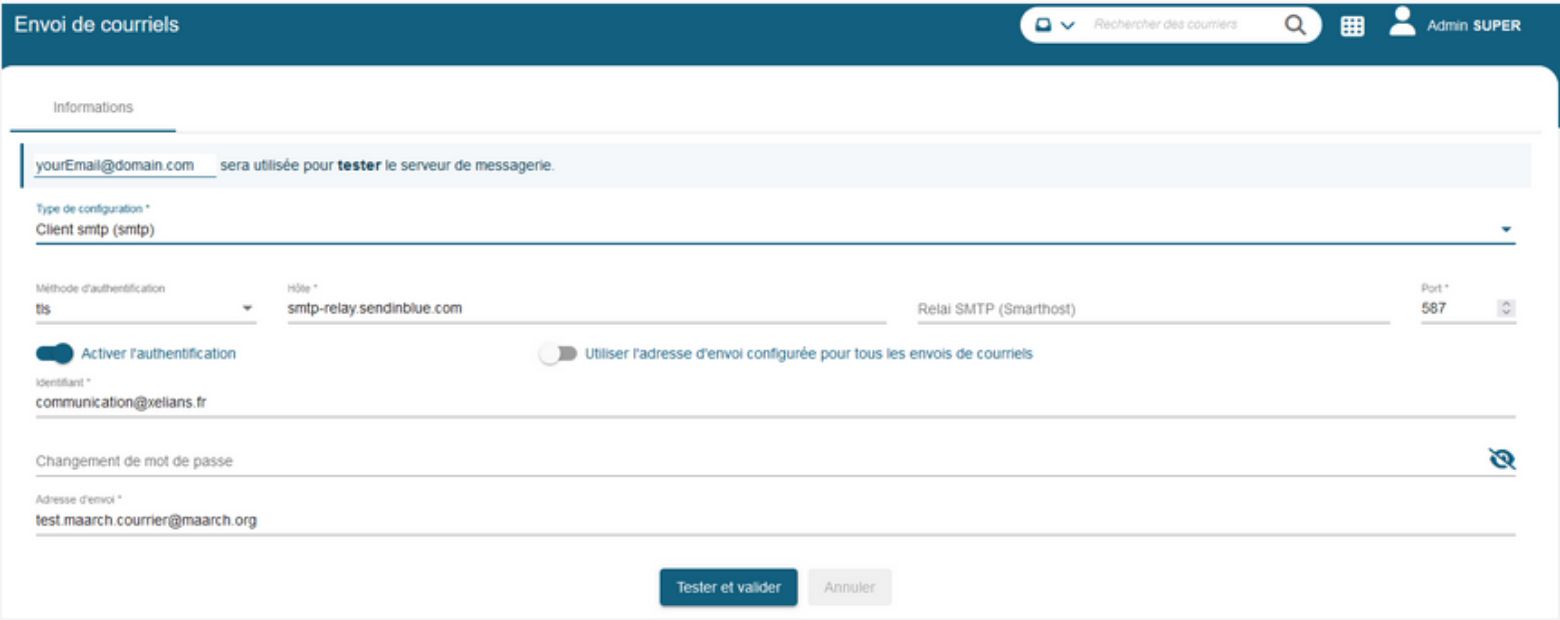
Configuration of a mail server relay for the “SMTP client (smtp)” and “PHP function (mail)” configurations
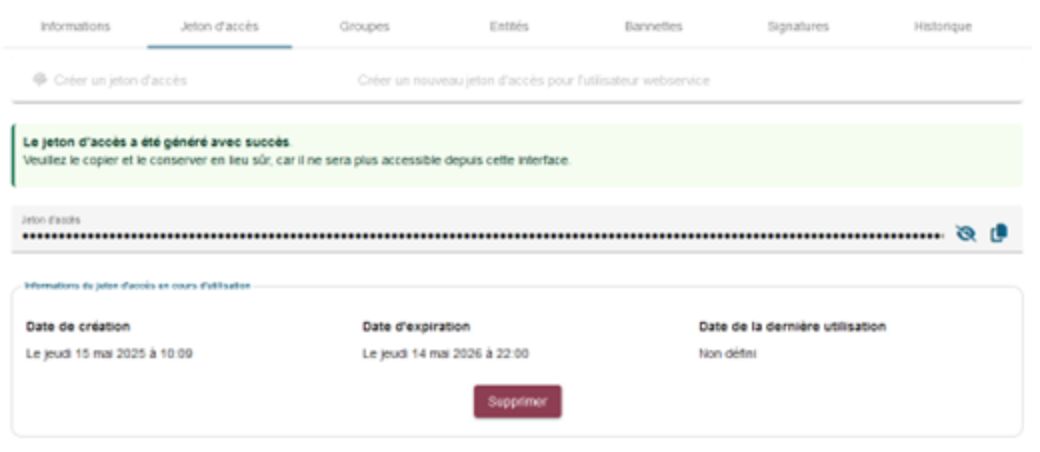
API access token management
Maarch Courrier allows API access through the provision of a token to secure access. This feature is linked to a web service–type user account.
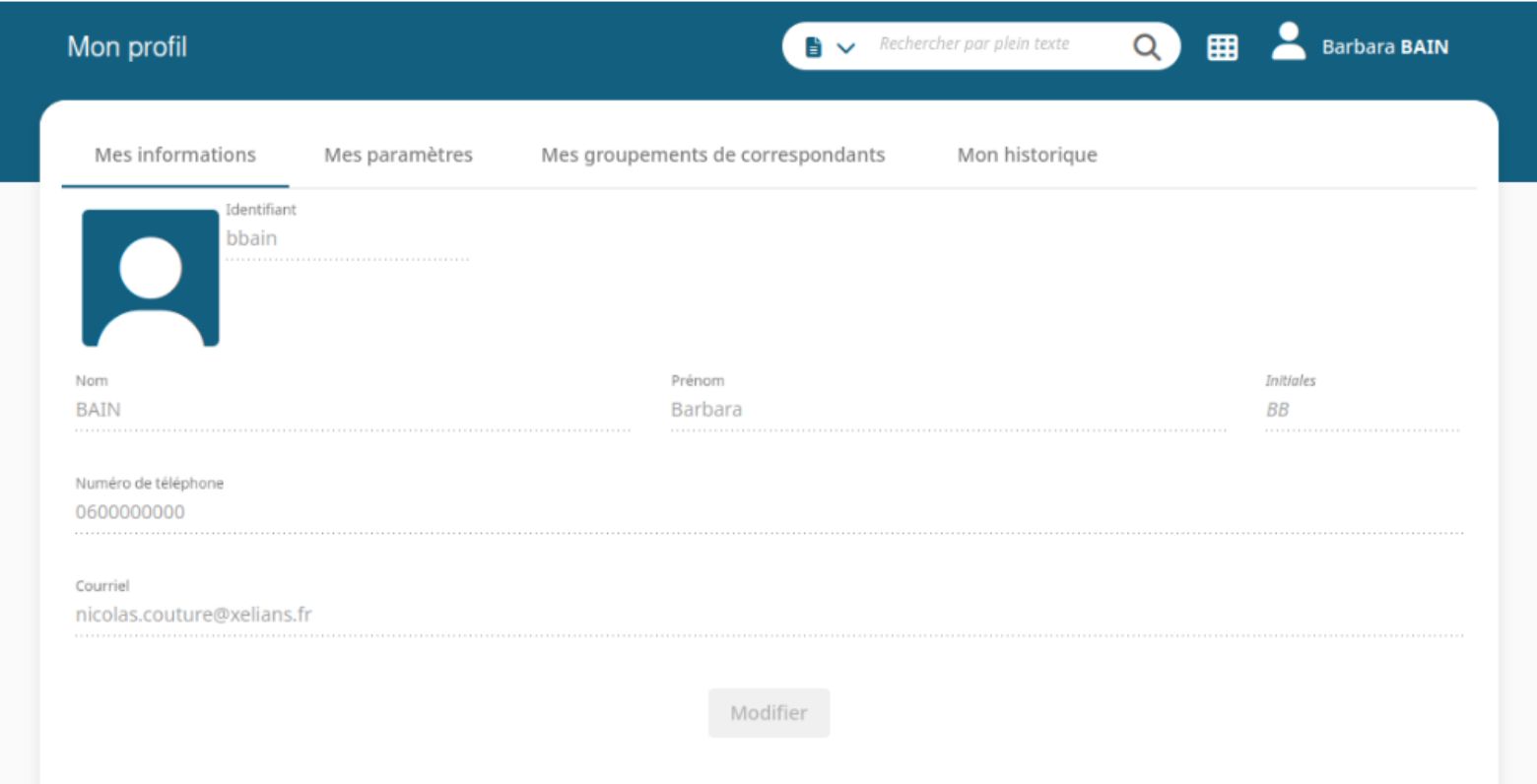
A new technical parameter makes it possible to restrict the modification of user profile information to only those users with the appropriate rights.
When this parameter is set to 0 and the user does not have user administration rights, they can no longer modify their own profile.
Coming soon…
We are currently developing, for the upcoming release (24.6 – September 2025), confidentiality features for contacts’ personal data. This involves defining:
- Who are the sensitive and confidential contacts?
- What confidential information is on these sensitive contact records?
- Who can see them, based on Maarch Courrier’s security scheme?
This management of personal information affects contact searches and displays, liaison records, and mail merge templates.
System
Automatic browser cache clearing during updates
When Maarch Courrier’s version changes, an automatic browser cache cleanup mechanism is now in place, to ensure the application runs properly on workstations.
Automatic Document Reading (LAD)
It is now possible to create simple custom fields via the dedicated administration interface.
The LAD automatically extracts and maps fields according to the rules defined in a configuration file, whether during mail injection via the API or during the manual submission of a document for indexing.
User experience
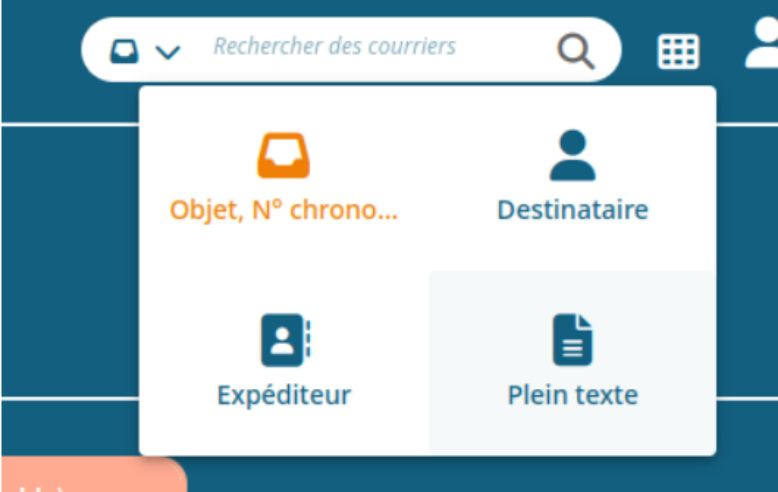
It is now possible to perform a full-text search directly from the quick search bar.
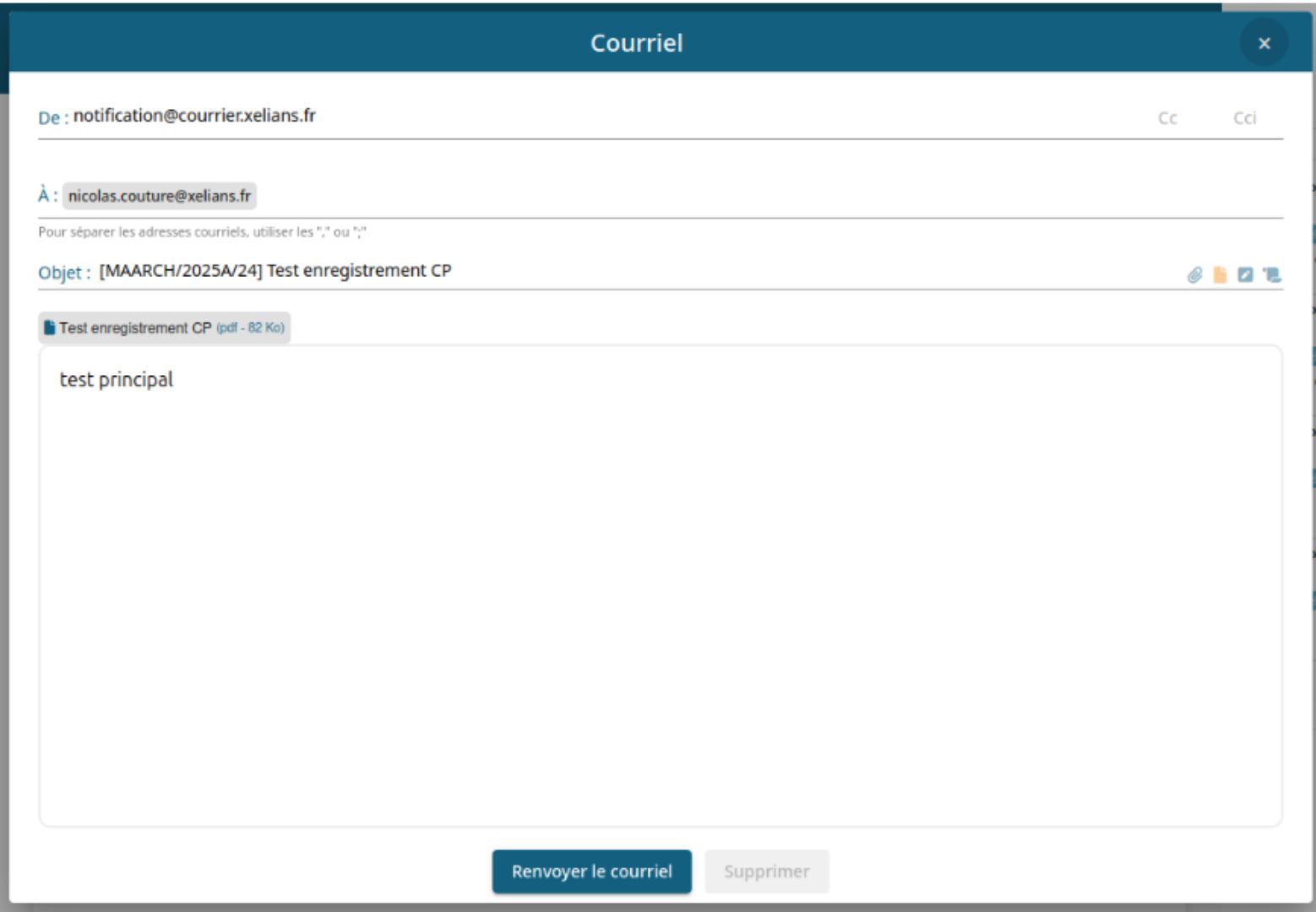
A new feature makes it possible to resend an already-sent email directly from the user interface.
Improvements designed hand-in-hand with users
More than 350 person-days of development were devoted to these improvements to bring these advances to life.
Thanks to the active support of our public-sector users, particularly the Ministry of the Interior, the CNAM, and the towns of Saint-Ouen-l’Aumône and Les Clayes-sous-Bois, Maarch Courrier benefits from concrete improvements directly aligned with needs expressed on the ground.
In a context where digital sovereignty, innovation, and sustainability are priorities, Maarch Courrier is fully committed to a collaborative approach with its users, aiming to offer a free, secure, interoperable, and sustainable solution.
Learn more about Maarch Courrier
Download from labs.maarch.org ↗
Dive deeper into the Maarch ecosystem







Choose the open-source reference
More than 100,000 users already trust us!